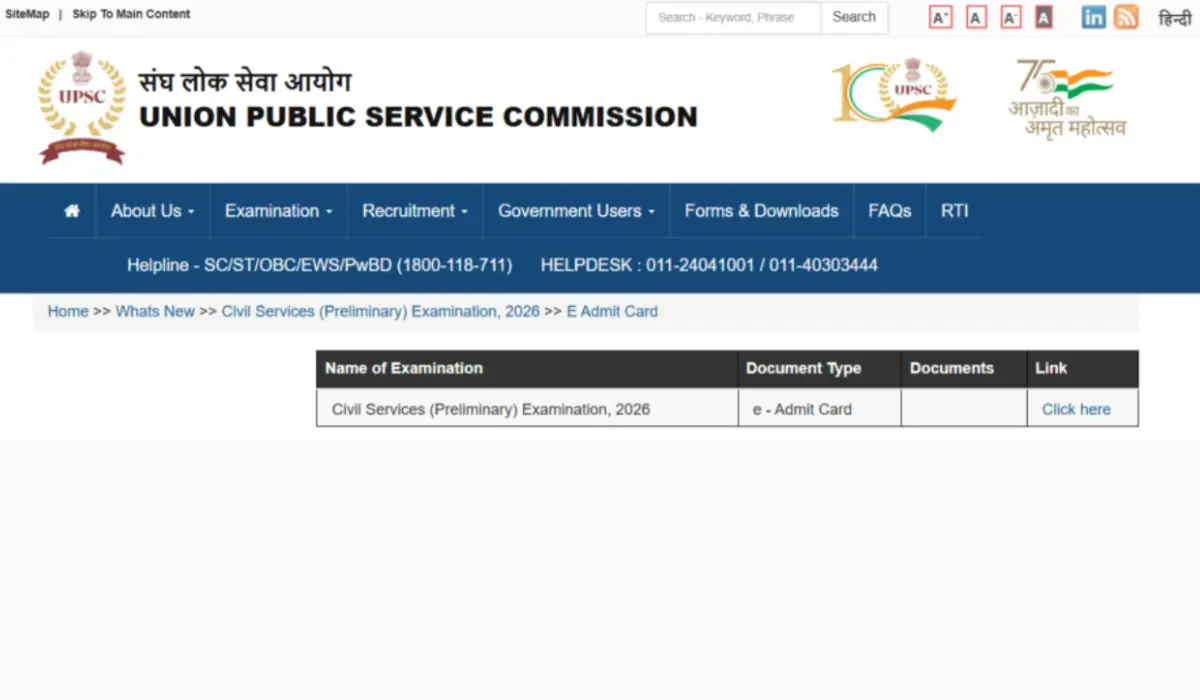
Finally, the Union Public Service Commission (UPSC) has released the admit cards for the civil services examination 2026 at their official website www.upsconline.nic.in. UPSC Prelims admit card has been released on 15th May 2026, and the link will remain active till the exam day, which is 21st May 2026.
UPSC Prelims Admit Card 2026 Out
UPSC admit card for CSE prelims 2026 has been released and is available to download on the official website of UPSC. The candidates who have applied for 933 vacancies can now download their hall tickets using their registration ID and roll number. As per the schedule, both General Studies and CSAT exams will be conducted on the same day in 2 shifts that is on 24th May 2026. Download your hall ticket and check the reporting timing.
Will there be face authentication for candidates at the exam centre?
As per the new guidelines as per the new guidelines, the candidates who are going to appear for UPSC CSE prelims exam have to undergo face authentication/identity verification before entering the exam hall.
How to download UPSC Admit Card from the official website?
Follow the step-by-step guide, discussed below to download your UPSC prelims 2026 admit card
- Visit the official website of UPSC at upsconline.nic.in.
- Click on the link mentioned “e-admit card: civil services (preliminary) exam 2026.”
- Choose to log in using either your registration ID or roll number.
- Now enter your credentials and security code as prompted.
- Click on the submit button, and your UPSC admit card appears on the screen
- . Carefully read and accept the exam day instructions before downloading your admit cards.
For your convenience, we have provided the direct link to download the admit card below, so you do not need to visit the official website. Just click on the link, and your admit card is here.
UPSC CSE Prelims Exam Schedule & Timing
The UPSC CSE Prelims Exam 2026 will be held on a single day, 24th May 2026. The morning shift for the General Studies exam will be held from 9:30 am to 11:30 am, and the Afternoon session for CSAT will be held from 2:30 pm to 4:30 pm.
| Papers | Exam Starts | Exam Ends |
| Paper 1 | 9:30 am | 11:30 am |
| Paper 2 | 2:30 pm | 4:30 pm |
What to do if you forgot your registration ID?
In case you have forgotten your registration ID, use the forgot our ID option on the UPSC portal to retrieve it using your email ID and date of birth
What to do in case of discrepancies in the UPSC admit card?
if you notice any error in the admit card or any in Kanchan necked details, then you must report it immediately to the UPSC officials through the following modes
- Helpline numbers- 011-23381125 / 011-23385271 / 011-23098543
- Email ID- uscsp-upsc@nic.in
- Office hours: Monday to Friday 9 AM to 5 PM
Important Instructions for the UPSC Prelims Exam Day
- You have to reach the exam centre at least 60 minutes before the reporting time
- You must carry a valid Photo ID proof along with your admit card
- Bring a clear printout of your admit card (no soft copy will be accepted)
- Avoid carrying any unwanted or electronic devices to the exam centre,
- Dress modestly, and stay calm during the examination.
What Documents to Carry Along with the Admit Card?
The candidates must note the important documents to take during the UPSC Prelims Exam 2026, along with the UPSC CSE Admit Card 2026.
- Photograph: Candidates must keep two passport-size photographs.
- Admit card: The UPSC Prelims Admit Card hardcopy is a mandatory document to be carried out during the exam.
- Other documents: Photo ID Proof like PAN Card/Aadhaar/Passport, E-Aadhaar with a photograph/permanent driving license/voter’s card/ Bank Passbook with photo ID proof.



 PSSSB Group D Admit Card 2026 (Advt 04/2...
 NICL AO Admit Card 2026, Prelims Call Le...
 UIIC AO Admit Card 2026, Steps to Downlo...