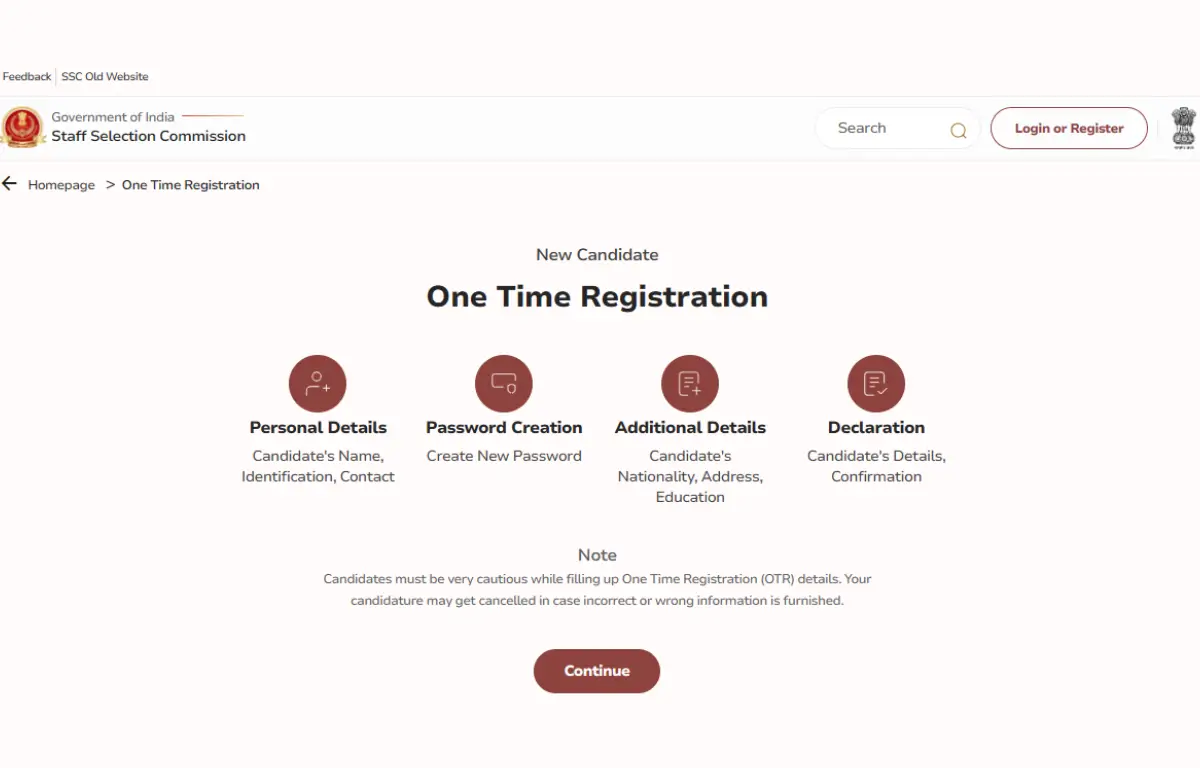
Staff Selection Commission (SSC) is a national level recuiting body responsible for conducting multiple exams, CGL, CHSL, CPO, MTS, GD, etc. Along with the release of the SSC CGL Notification, the commission has activated the One-Time Registration (OTR) link on its portal. OTR refers to the process where candidates make a single profile on a portal to apply for multiple exams by using the same login details. However, to appear for the specific exam, candidates have to apply separately for the particular exam.
SSC OTR One-Time Registration 2026
All candidates who want to appear for any SSC exam have to complete the One Time Registration (OTR) mandatorily, a one-time effort. Candidates have to visit the official website of the Staff Selection Commission, www.ssc.gov.in. For SSC CGL OTR, candidates have to submit the required details, and after registering, they can use the same login ID to apply for any SSC Exam.
With the SSC OTR One-Time Registration 2026, candidates can create a single profile that can be used for all future SSC applications for CGL and other exams. As most of the SSC Exams hold the same eligibility criteria, candidates apply for various exams. However, to appear for the specific exam, candidates have to apply separately for the particular exam.
SSC CGL One Time Registration
The Staff Selection Commission (SSC) opened the SSC One Time Registration (OTR) portal for candidates who wish to apply for the Staff Selection Commission Combined Graduate Level Exams. Candidates can complete the OSSC CGL Application Form 2026 from 21st May to 22nd June 2026. Interested candidates must complete the OTR process by clicking on the SSC OTR 2026 link.
SSC OTR 2026 Registration Process
One-Time Registration (OTR) is mandatory for all candidates who want to apply for SSC Exams. Below is the step-by-step process to complete the SSC One-Time Registration Process-
- Enter your basic details like: Name, Father’s Name, Mother’s Name, Mobile Number, Email ID, Class 10 (High School) Roll Number
- Check and verify your OTR profile details, then click Submit
- You will receive an OTP on your registered mobile number and email
- Your Part I Registration is now complete, and you will see your OTR Registration Number on the screen.
- Go to your email and use the default password to log in with your Registration Number.
- Change your password and log in again to enter more details like Nationality, category, Visible Identification Mark, and Address
- Click on Preview to check all the information. After verifying, press the submit button.
- Then, your SSC OTR Registration is now complete
Keep these things ready before you start with SSC OTR
- Mobile number (OTP verification)
- Email ID (OTP verification)
- Aadhaar number or any one of these ID proofs: Voter ID / PAN / Passport / Driving License / School or College ID / Employer ID
- 10th class details: Board, Roll Number, Year of Passing
- Disability certificate number (if applicable)
SSC Revised Aadhar Policy
SSC has implemented the revised Aadhar policy, and now, One Time Registration (OTR) is to be linked to your Aadhaar card. By linking Aadhaar, SSC confirms the identification of the candidates, which helps to avoid any mismatching and stop fraud during exams and recruitment. This revised Aadhaar policy provides an extra layer of authentication and security.
SSC OTR 2026: Photo and Signature Guidelines
The required specifications for uploading the Photograph and Signature during SSC One Time Registration 2026 are as follows:
| Documents | Specifications |
| Photo |
|
| Sign |
|


 Semi-Conductor Laboratory Recruitment 20...
 CWC Apply Online 2026 Starts for 347 Vac...
 OAVS Teacher Notification 2026 Out, Appl...