
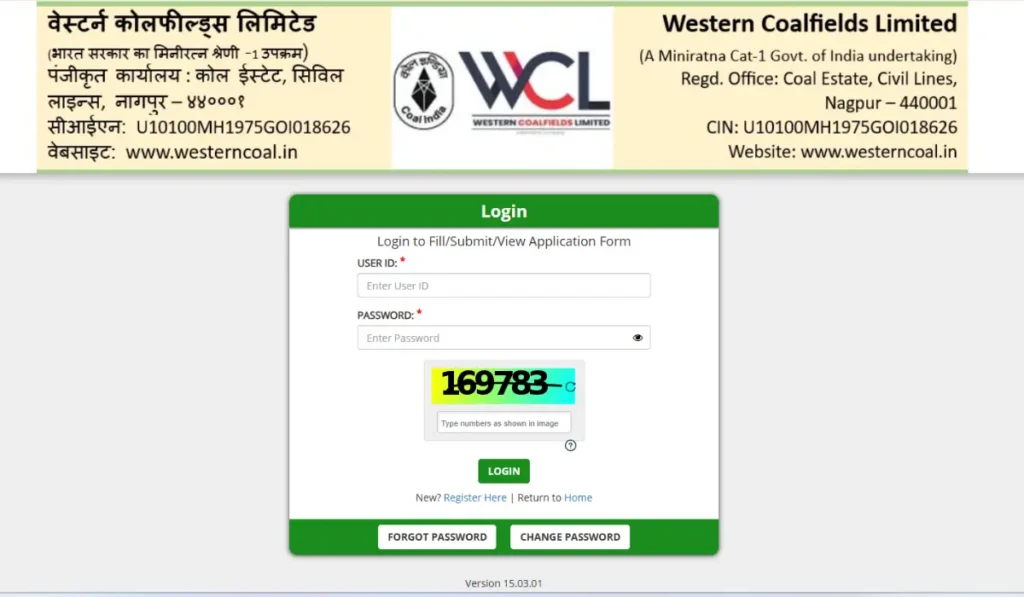
The Western Coalfields Limited (WCL) has released the admit cards on 11 October 2026 for all the eligible candidates who are going to appear for the CBT exam scheduled to be conducted on 14 October 2026. Candidates who have applied successfully for 444 Mining Sirdar & Assistant Foreman/ Electrical Supervisor vacancies can now download their admit cards.
Candidates going to appear for the exam can download their admit card from the WCL official website www.westerncoal.in by using their user ID and Password.
WCL Admit Card 2026 Download Link
To download the WCL Mining Sirdar & Assistant Foreman Admit Card 2026 for the CBT exam, the link has been activated by Western Coalfields Limited on their official website, www.westerncoal.in. Candidates must download their admit card well before the exam date to avoid any last-minute technical glitches and to check all exam details.
How to Download WCL Admit Card for Mining Sirdar & Assistant Foreman Posts?
- Visit the official website at www.westerncoal.in.
- On the homepage, go to Career > Recruitments.
- Now, click on the Apply button given against the “Notice Regarding Download of Admit Cards for CBT – Employment Notification No. 2026/69” link.
- Click on the Login button.
- Enter your username, password, and security code to log in.
- Your admit card PDF will open on the screen.
- Download it and take a printout of it.
What to Do If You Cannot Download the WCL Admit Card?
If the admit card download page does not work, candidates can try the following steps:
- Check the official WCL website again after some time.
- Ensure that the login details have been entered correctly.
- Try opening the recruitment page using another browser or device.
- Check whether the official notice provides an alternative download link.
- Contact WCL through the official contact details if the issue continues.
WCL Admit Card 2026- Key Highlights
Candidates must carry a printout of the admit card along with a valid ID proof to their exam centres for verification purposes, as no entry will be allowed without it. Candidates must also check all the details printed on it carefully and in case of any error they must contact the officials immediately.
| WCL Mining Sirdar & Assistant Foreman Admit Card 2026- Overview | |
| Advt. No. | 2026/69 |
| Mode of Admit Card | Online |
| Admit Card Release Date | 11 October 2026 |
| Exam Date | 14 October 2026 |
| Mode of Exam | Online (CBT Format) |
| Details Required to Download | User ID and Password |
WCL Exam Day Guidelines 2026
Candidates appearing for the WCL CBT should follow the instructions mentioned on their admit cards. The following precautions can help avoid last-minute problems.
- Carry a printed admit card: Keep a clear printout of the downloaded hall ticket.
- Bring valid photo identification: Carry an accepted original photo ID as specified in the examination instructions.
- Reach the examination centre on time: Follow the reporting time printed on the hall ticket and allow enough time for entry formalities.
- Check the examination venue: Confirm the complete address and plan your journey in advance.
- Follow prohibited-item rules: Do not carry mobile phones, smartwatches, calculators or other restricted items unless explicitly permitted.
- Follow invigilator instructions: Complete the required verification process and follow all examination hall rules.
- Keep the admit card safe: Retain it after the examination for any subsequent recruitment-related requirements.