
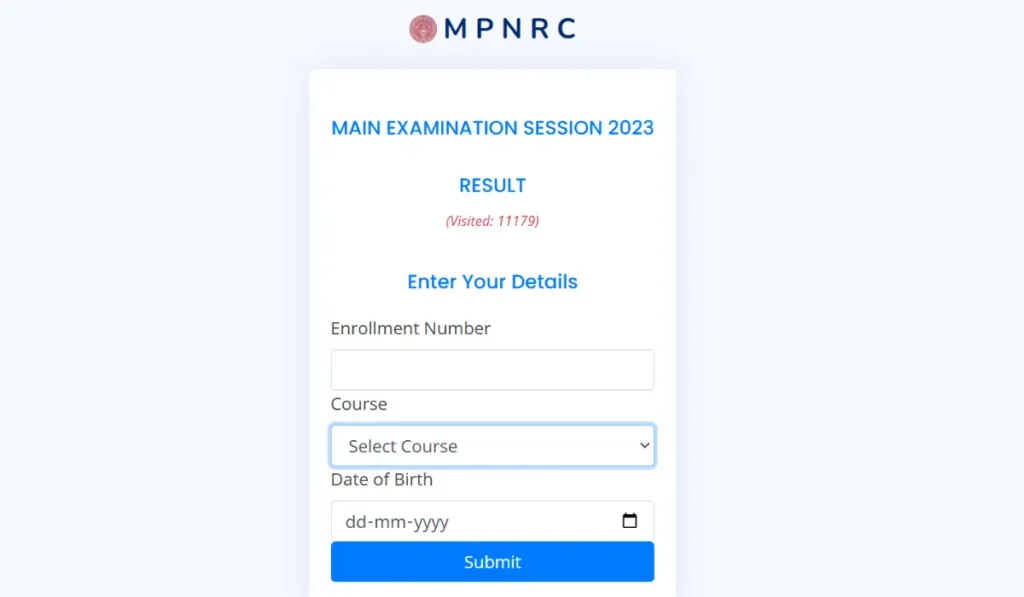
MPNRC GNM Result 2026 has been released by the Madhya Pradesh Nurses Registration Council (MPNRC) on 19th August 2026 for the revaluation/rechecking of the GNM first-year course (session 2022-23) conducted in the months of April-May 2025. Students who appeared for the exam can now check thier exam results online through the official website https://result.mpnrconline.org/.
MPNRC GNM Result 2026 Out
MP GNM 1st Year Result 2026 covers the students who appeared in the exams conducted between 29th April and 3rd May 2025, and it has been published in compliance with a direction from the Hon’ble High Court of Jabalpur (WP No. 1080/2022, order dated 23 June 2026). Candidates can now check their marks and download their provisional digital marksheet online through the official MPNRC result portal. The result link will remain available from 19th to 21st August 2026.
| MPNRC GNM Result 2026- Highlights | |
| Exam Name | GNM First Year |
| Result release date | 19th August 2026 |
| Last date to check | 21st August 2026 |
| Exam date | April–May 2025 |
| Year | 1st Year |
| Session | 2022-23 |
| Login Credentials | Enrollment Number, Course, and Date of Birth. |
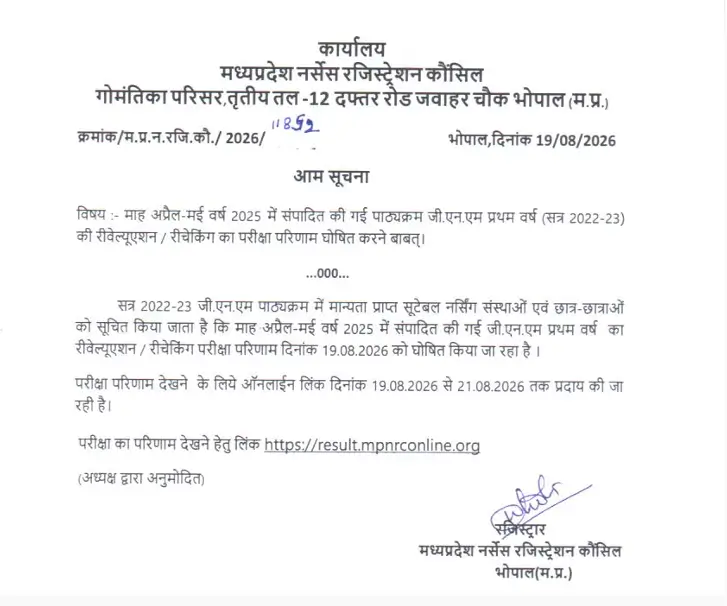
MP GNM 1st Year Result 2026 Link
The official link to check and download the exam result for GNM1 Main Exam (Re-Eval & Shifted Only) for session 2022-23 has been activated on the official website https://result.mpnrconline.org/. Candidates can check their result marks by using their entering their Enrollment Number, Course, and Date of Birth.
MPNRC GNM Marksheet 2026
Candidates can download the digital marksheet directly from the portal. This copy serves as provisional/temporary proof of your result until your institution issues the original marksheet. After downloading, carefully check all details enrollment number, name, date of birth, and marks for any discrepancies, and report errors to your college or MPNRC promptly.
Steps to Check MPNRC GNM Result 2026?
- Candidates have to visit the official website of the Madhya Pradesh Nurses Registration Council (MPNRC) at https://result.mpnrconline.org/.
- On the home page, candidates have to click on the text reading “EXAM RESULT FOR GNM1 MAIN EXAM (RE-EVAL & SHIFTED ONLY)”.
- Candidates have to enter login details, which are Enrollment Number, Course, and Date of Birth.
- Click on the Proceed/Submit button.
- The result appears on the screen.
- Download and print the marksheet for future reference.
What Details Are Mentioned in MPNRC GNM 1st Year Result 2026?
Candidates should carefully check their result to verify all the details printed on their marksheet to ensure there are no discrepancies.
- Student Name
- Exam Name
- Registration/Enrollment Number
- Course Name (GNM 1st Year)
- Subject Names
- Subject Codes
- Total Marks in Subject
- Maximum Marks
- Marks Obtained
- Final Result Status (Pass/Fail/Passed with Grace)
- Official Date of Result Declaration